 CalScout
How to find a meeting time with several people
Ask each person for the times they're free, find where those windows overlap with your own free time, and offer two or three of the shared slots back to everyone. For large groups a poll is quicker. Inside one organisation, a shared calendar's free/busy view may answer it without asking anyone.
The hard part is the overlap. Five people's replies arrive in five different formats, sometimes in different time zones, and lining them up by hand against your own calendar is slow and easy to get wrong.
Updated November 9, 2026.
Three ways to do it
| Method | Works best for | Watch out for |
|---|---|---|
| A poll | Large groups, or people you don't know well | Everyone has to open it and fill it in, and the result can still clash with your own calendar |
| Shared calendars | Colleagues in the same organisation who share free/busy | It doesn't work across organisations, or for calendars people keep private |
| Ask, then overlap | Three to eight people from different places, such as a committee or a project group | Lining up the replies by hand |
Asking, then finding the overlap
1. Ask a question that's easy to answer
“When are you free in the week of Jan 11? Ranges are fine, such as Tue afternoon or Thu 9 to 12.” Give a date range, and say how long the meeting is. Ranges are quicker to write than single slots, and they give you more to work with.
2. Line up the replies
Write each person's free windows in one time zone, then look for the times inside every window, and inside your own free time too. If no time fits everyone, find the one that fits all but one person and ask whether they can move something.
3. Offer two or three of the shared times
Send them to the whole group, numbered, so the replies are quick: “1 or 3 works for me.” Hold them on your calendar until the group agrees.
4. Confirm and send the invite
When the group agrees on one, book it, send everyone the invite, and release the other times.
Doing it with CalScout
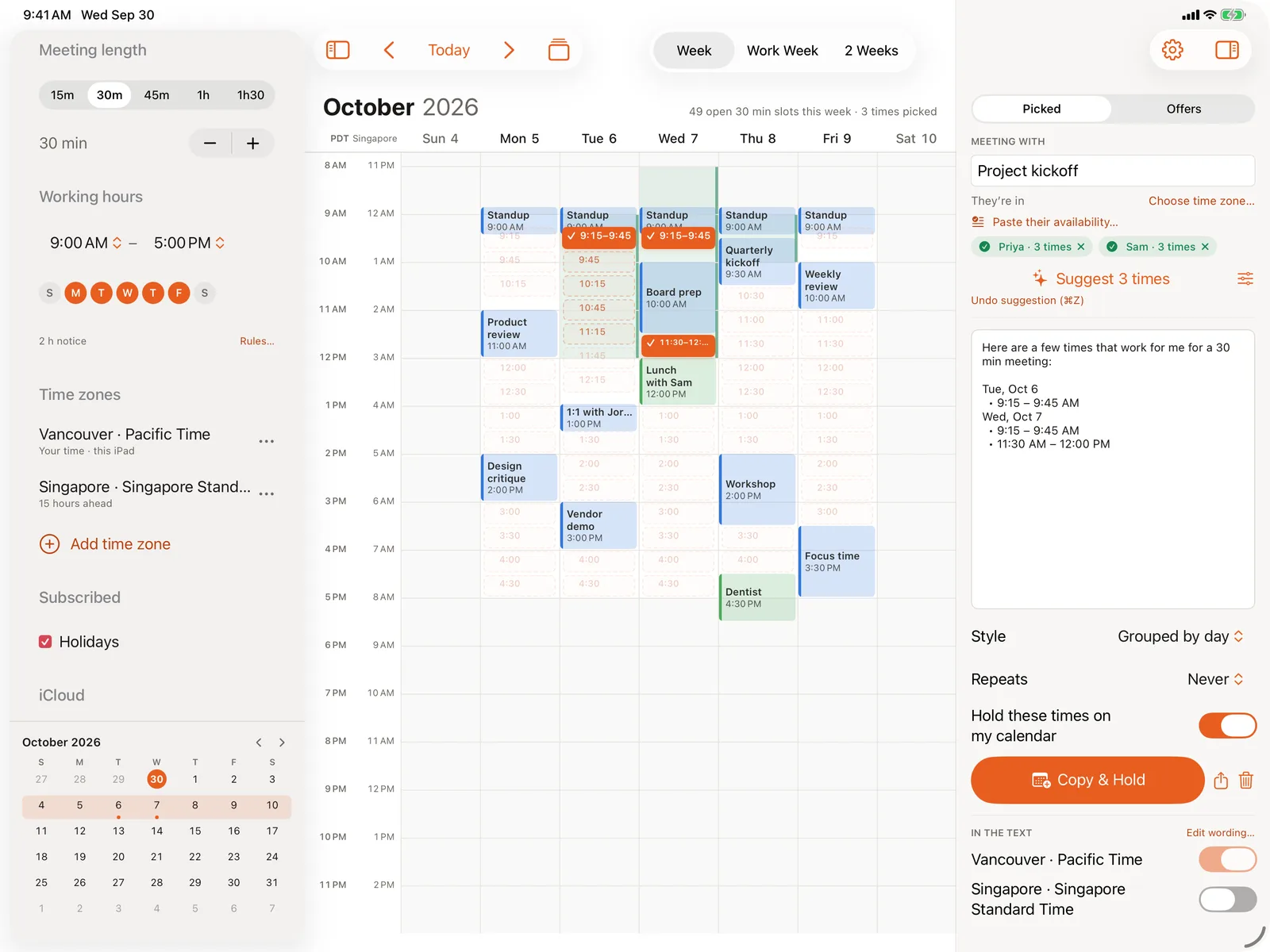
With CalScout Pro, paste each person's reply into Paste their availability, straight from an email, a chat or anything else, or share the message to CalScout from another app. CalScout reads the times from it on your device, using Apple's on-device language model where it's available, and narrows your week to the times everyone is free. You can switch each person on or off, and a slot that someone can't make says who.
Then pick two or three of the shared slots, and Copy & Hold writes the message and holds them. Confirm the time the group chooses, then share a calendar invite from CalScout that everyone can add with a tap.
Pasted availability is part of CalScout Pro, which you can try free for 14 days. See also scheduling a thesis committee meeting and scheduling across time zones.