 CalScout
 for Mac
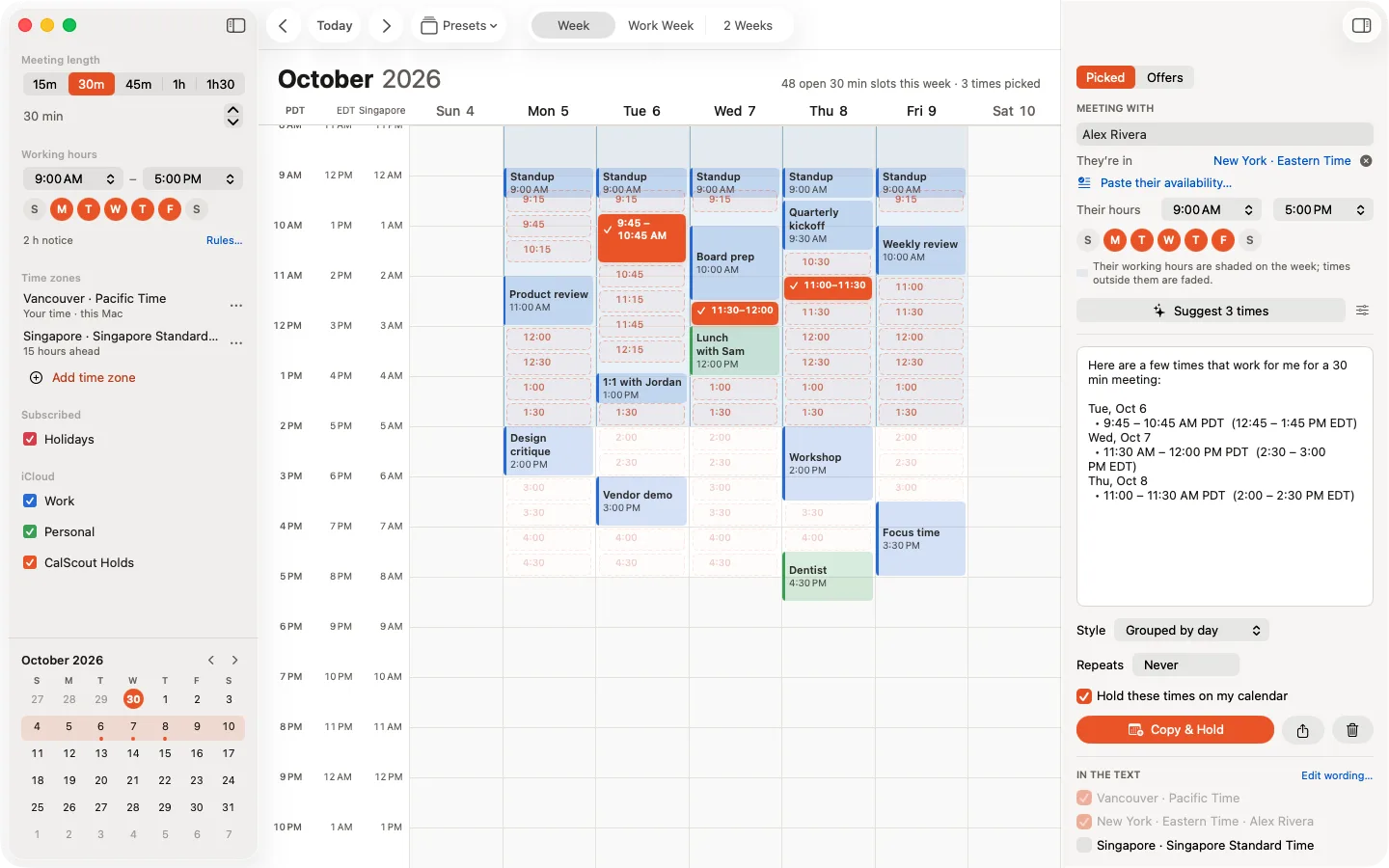
CalScout is a native Mac app for offering meeting times. It shows your open time across every calendar your Mac already has, lets you click or drag over the slots you want to offer, and copies them as a ready-to-paste message while it holds those times on your calendar. With Pro, it's a keystroke away from any app.
Updated November 9, 2026. Requires macOS 15 or later. Free on the App Store for Mac, iPhone and iPad.
Built for the Mac
- The week, at a glance. Every calendar in Apple's Calendar, including iCloud, Google, Exchange and Outlook, in one week view, with your open slots at the meeting length you need.
- Keyboard first. Arrow keys to move and Space to pick, ⌘G to suggest, ⇧⌘C to copy and hold, ⌘1–⌘9 for presets, and ⌘Z to undo anything.
- A menu bar panel (Pro). Open it from the menu bar or with a global shortcut, ⌃⌥Space by default. Choose a preset and who it's for, press Suggest or pick from the next two working weeks, then copy and hold, without opening the main window.
- The Services menu (Pro). Select the text where someone said when they're free, in Mail or any app, and choose Find Times with CalScout.
- Widgets (Pro). Your open offers and your next free slot, on the desktop or in Notification Center.
- Siri and Shortcuts (Pro). “Find times with CalScout” shows the times it would offer and waits for you before copying or holding anything.
The same offers on every device
Your settings, presets, the people you meet and your open offers sync through your own iCloud, so an offer you make on the Mac can be confirmed from your iPhone when the other person replies. Holds and meetings are ordinary calendar events, so they sync the way your calendars already do.
Private by design
CalScout reads your calendars on your Mac and never uploads them. There's no account, nothing is collected, and text you paste is read on your device. See the privacy policy.
Price
CalScout is free. Pro is a one-time $19.99 purchase, as of November 2026, that covers your Mac, iPhone and iPad and your family through Family Sharing, and every Pro feature is free to try for 14 days. See what's in each, or read how to offer meeting times without a booking link.