
Your free times, in one friendly message.
CalScout finds the open times across all your calendars, turns the ones you pick into a message you can send anywhere, and holds them until they reply.
For iPhone, iPad and Mac · Free to use, with an optional Pro upgrade
Pick three times, Copy & Hold, confirm the one they chose. The other holds let go.
Pick
Your open times show right on the week, at the meeting length you need. Tap or drag the ones you'd like to offer.
Send
CalScout writes the message — dates, times and any time zones you add — ready to paste into email, Messages or Slack.
Confirm
Holds keep those times free. When they reply, confirm in a tap: the meeting is booked and the rest let go.
Everything between “when works for you?” and a meeting on the calendar.
Times stay yours until they reply.
Copy & Hold places a tentative hold for each time you offered, so nothing else books over them. Confirm one and it becomes the meeting; the others disappear.
- See every open offer, and when its holds lapse
- Offers expire on their own after a few days
- Changed your mind? Undo works on everything
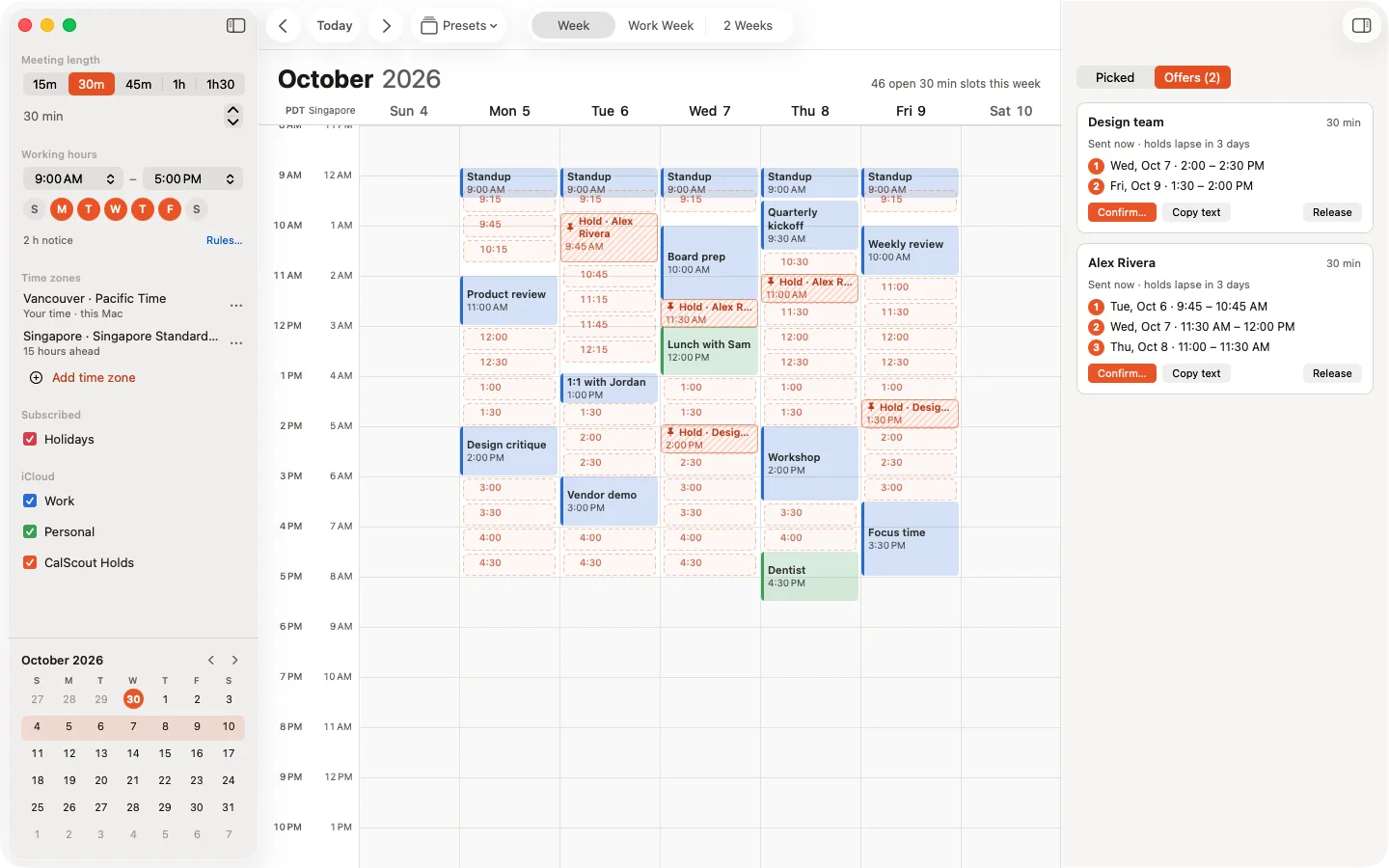
Their time, beside yours.
Add a time zone and the message shows both times, with the date when it's already tomorrow there. With Pro, tell CalScout where someone is and when they work, and the times outside their day fade away.
- An extra time zone on the week and in the text
- People you meet remembered, with their hours PRO
- Suggest picks a well-spread handful of good times
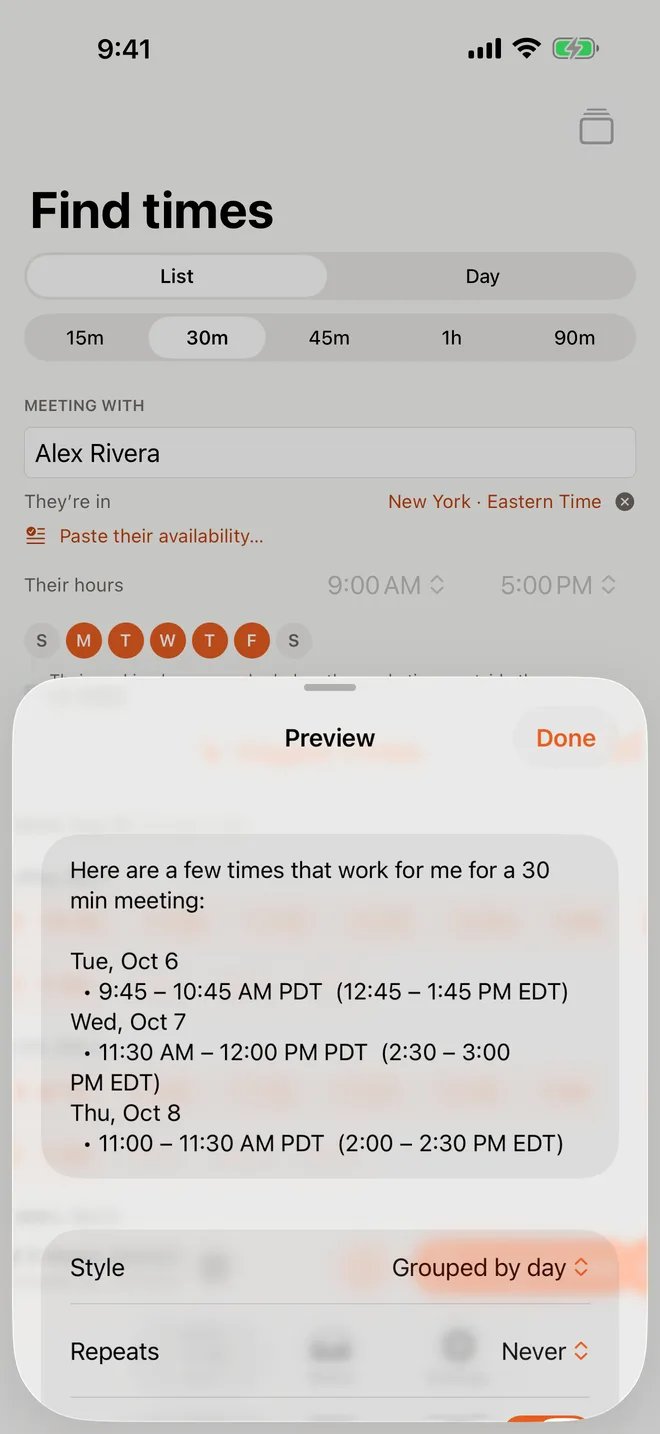
Standing meetings, free every week.
Weekly, every other week or monthly: CalScout only offers times that are free for every meeting in the series, and books it as one repeating event.
- Up to 12 meetings, checked against your whole calendar
- Skip the odd all-day event if you'd move that one anyway
- Send a calendar invite they add with a tap
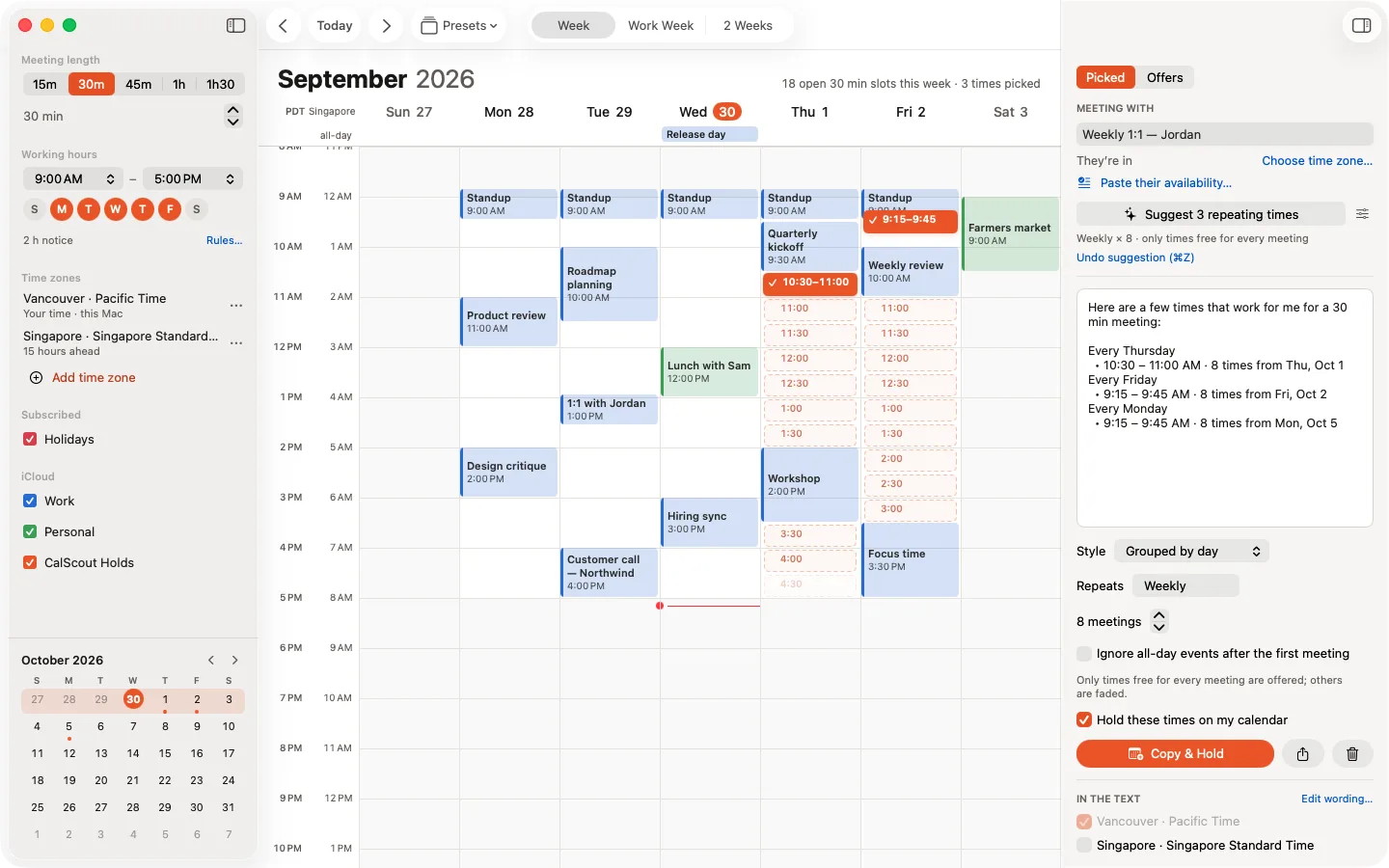
Paste when they're free. See what suits everyone.
Paste the times others sent you — an email, a chat, anything. CalScout reads them on your device and shows only the times that work for all of you.
- Read with Apple's on-device model, in any time zone
- Several people at once, each switched on or off
- Send CalScout text from any app's share sheet
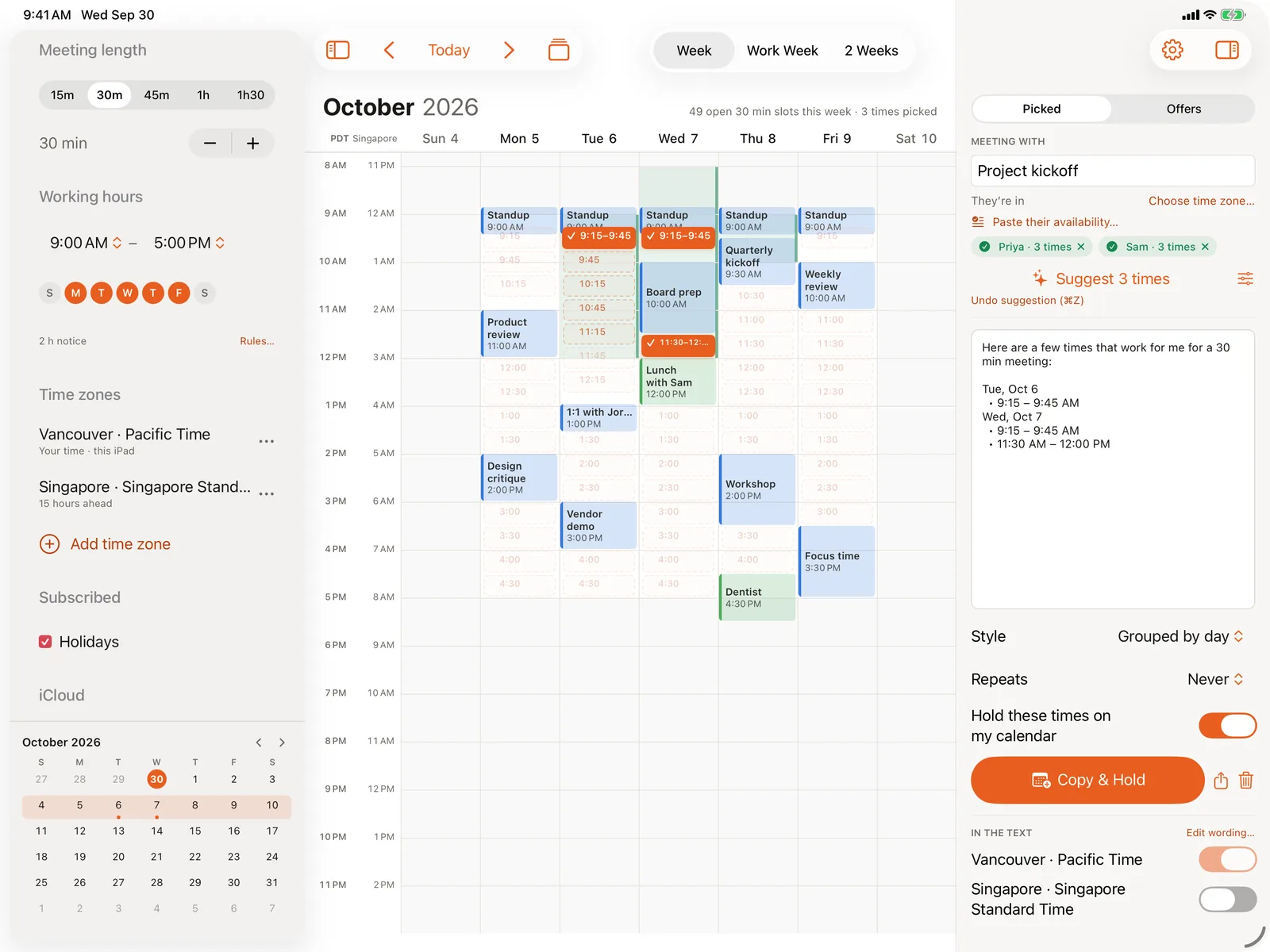
Wherever you're asked “when are you free?”
Your settings, people and offers stay in step on every device through your own iCloud.
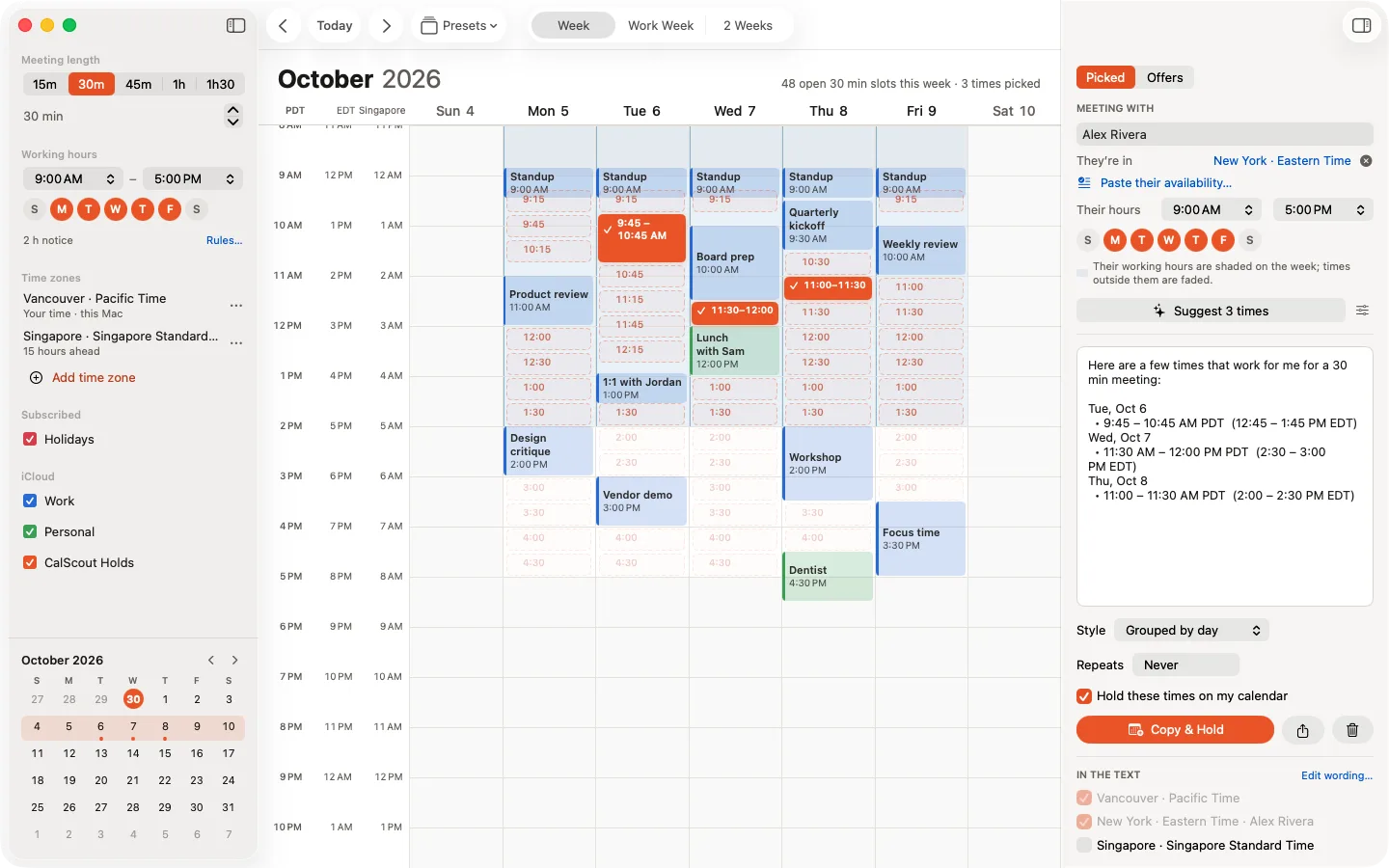
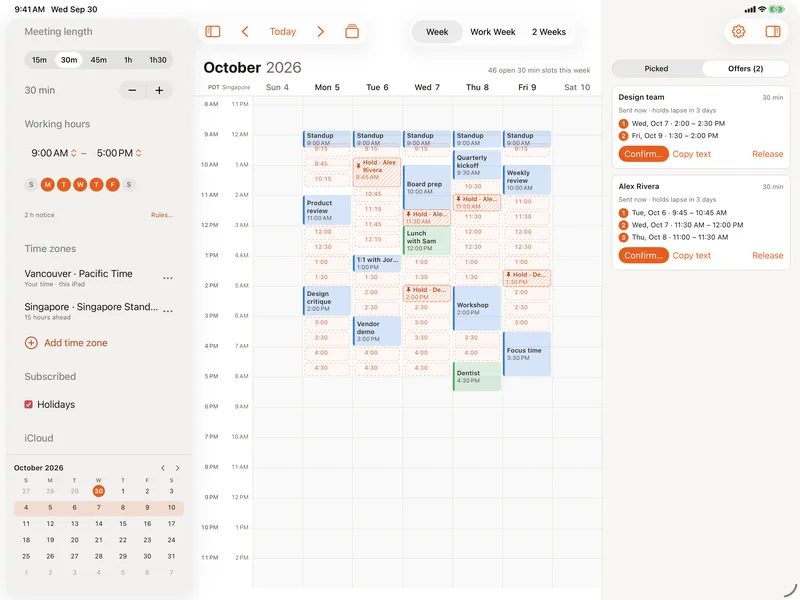
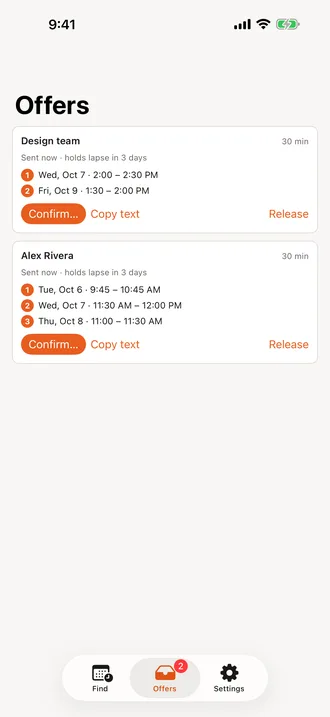
Mac
A menu bar panel and a global shortcut put your open times one keystroke away, in any app. PRO
iPad
The full week with the sidebar and panel, picking by touch, trackpad or keyboard.
iPhone
Your next two weeks at a glance, widgets for open offers and your next free time, and Siri. PRO
Thoughtful down to the last minute.
Every calendar
iCloud, Google, Exchange and subscriptions — whatever your device already shows.
Your rules
Buffers around meetings, a lunch break, minimum notice and a daily limit.
Days off
All-day events and out-of-office keywords block a day automatically.
Your words
Grouped, numbered or compact, with your own intro, sign-off and meeting link. PRO
Presets
A setup for each kind of meeting, one keystroke away with ⌘1–⌘9. PRO
Rich text
Paste with formatting into Mail, or plain text anywhere else.
Siri and Shortcuts
“Find times with CalScout” — see them first, then send. PRO
Widgets
Open offers and your next free slot, on your Home Screen, Lock Screen or desktop. PRO
Keyboard first
Arrow keys to move, Space to pick, ⇧⌘C to copy, and Undo for everything.
Private by design.
CalScout reads your calendars on your device. There's no account, nothing is collected and nothing is tracked. Your settings and offers sync only through your own iCloud.
Free to use. Pro when you need more.
One purchase unlocks Pro on every iPhone, iPad and Mac on your Apple ID — and for your family.
CalScout
Everything you need to offer times.
- All your calendars in one week
- Pick, copy and send
- Holds, Confirm and Release
- Suggest good times
- One extra time zone
- Availability rules and blocked days
- iCloud sync across your devices
CalScout Pro
Try it free for 14 days. No subscription, no account.
- Repeating meetings and calendar invites
- Group scheduling from pasted availability
- A second extra time zone, and people remembered
- Presets for each kind of meeting
- Your own wording and meeting details
- Siri, Shortcuts and widgets
- Share sheet, Services menu, menu bar panel
Shared with up to five family members through Family Sharing.
Pro is a one-time purchase that keeps CalScout independent and improving. Prices in US dollars; the App Store shows yours in your currency.

CalScout is coming soon.
For iPhone, iPad and Mac, on the App Store. Free to download.