 CalScout
How to schedule a thesis committee meeting
Start three to six weeks ahead, ask every member for their free windows over a two-week range, find the times all of them share, and offer two or three of those back to the whole committee. Hold the times until everyone agrees, then book the room and send the invite.
Committee meetings are hard to schedule because faculty calendars fill with teaching, other committees and travel, members may be at different institutions or in different time zones, and one person's “no” sends everyone back to the start. A little structure usually keeps it to two rounds of email.
Updated November 9, 2026.
1. Start early, and check the rules
Three to six weeks ahead is usual for a committee meeting, and more for a defence, which often needs paperwork filed in advance. Check your department's deadlines for the defence date, and whether an external examiner has to be there in person.
2. Ask everyone the same clear question
Send one email to the whole committee, or one each if your supervisor prefers. Give the length, a range of dates, and ask for ranges back:
Dear all,

I'd like to schedule my committee meeting (90 minutes) between Jan 18 and Jan 29. Could you let me know when you're free in that range? Ranges are perfect, for example “Tue afternoon” or “Thu 9 to 12”.

Thank you,
[Your name]
Ask your supervisor whether they'd like to see the dates before you send them. Some prefer to be asked before the rest of the committee.
3. Find the times everyone shares
Put every reply in one time zone and look for times inside all of them. If nothing fits everyone, find the time that fits all but one member and ask that person, politely and on their own, whether they could move something. Fit the time around external members and the chair first, and ask someone else to move.
4. Offer two or three times, and hold them
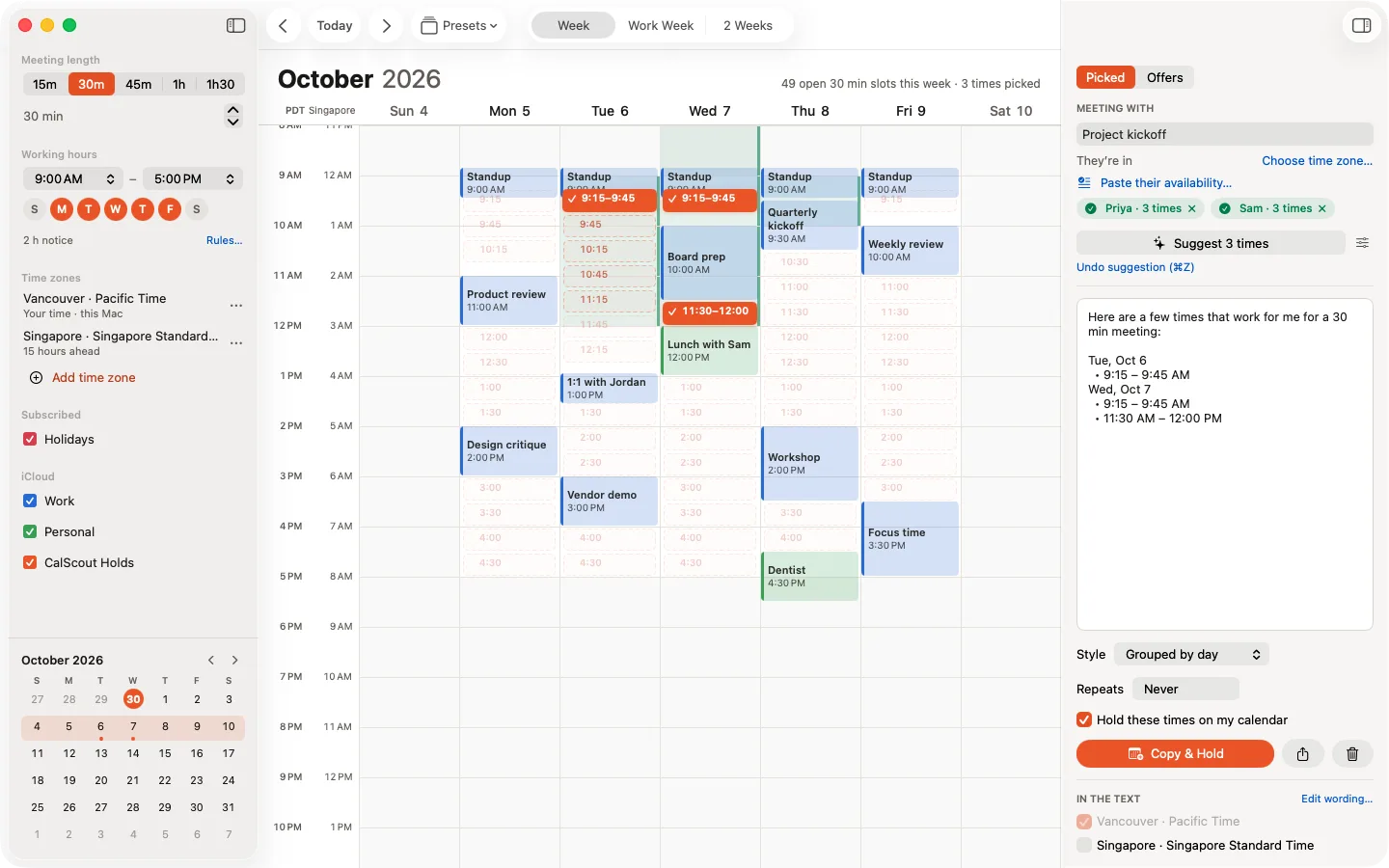
Send the shared times back to everyone, numbered, so they can reply “1 or 2 works for me”. Put a hold in your calendar for each option, and if you can, provisionally book a room for each too.
5. Confirm, book the room and send the invite
Once everyone agrees on one, send a calendar invite with the room or the video link, release the other holds and room bookings, and send a short reminder a few days before.
Doing it with CalScout
With CalScout Pro, paste each member's reply into Paste their availability, straight from the email. CalScout reads the times on your device and narrows your week to the slots every member can make, within your own free time. If a reply names a time zone, CalScout reads it in that zone; otherwise, set Their time zone before reading it. Pick two or three of the shared slots, and Copy & Hold writes the numbered message and holds every option on your calendar. When the committee agrees, confirm the time, then share a calendar invite from CalScout that everyone can add with a tap. On the Mac, you can also open Calendar afterwards to invite them.
See also finding a time with several people and how to offer meeting times.